Product
B2B
Sponsored by
Adobe
Solve for fatigue in AI agent of enterprise software
Overview
In 2025, I was excited to work with Adobe's enterprise product team in the design studio course. I spent four months reimagining a more nimble human-AI collaboration experience for Audience Builder.
01 Context
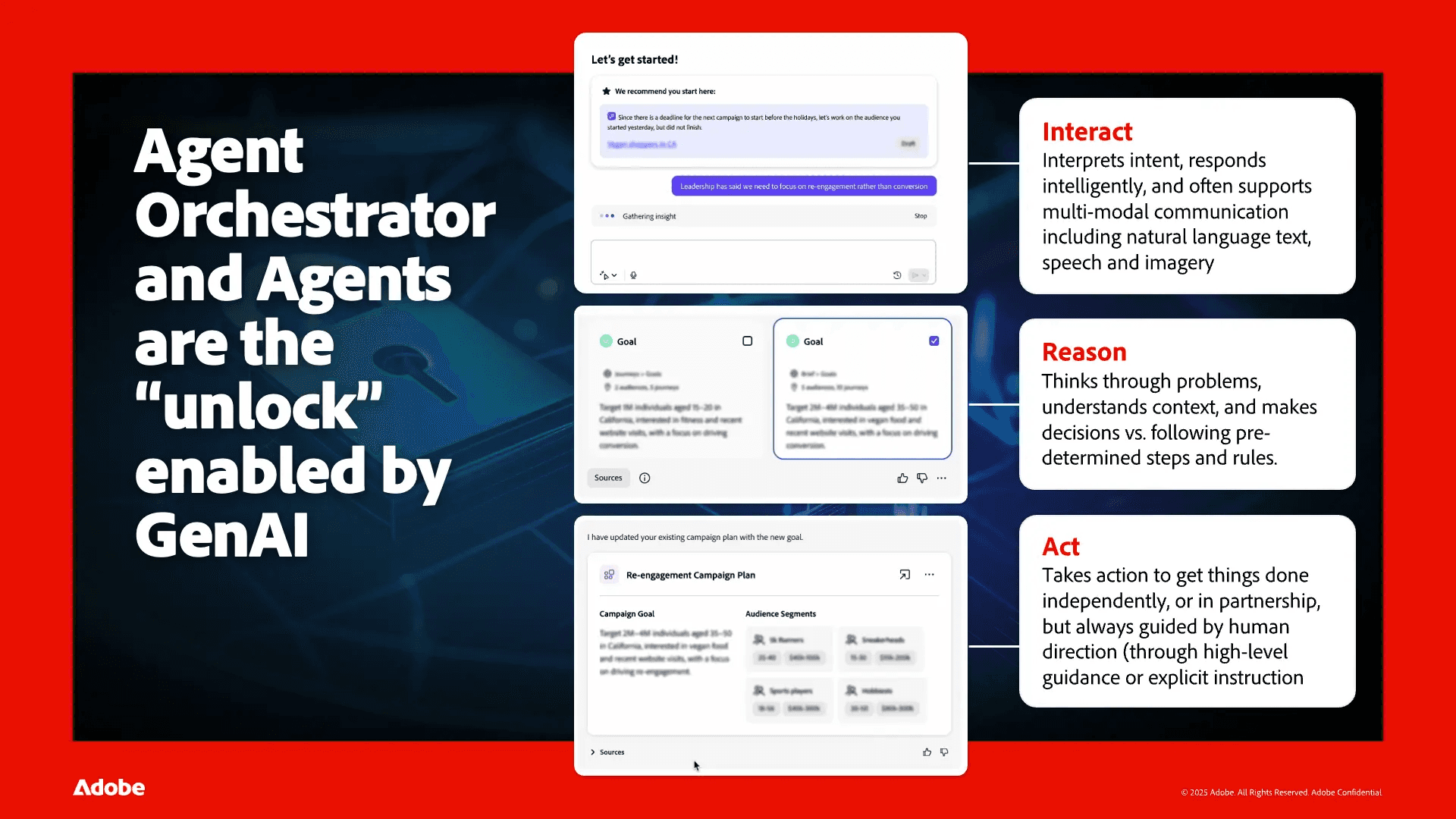
Adobe released its AI agents in the Adobe Experience Platform (AEP), which is a B2B software help marketers unify customer data and support campaign launch.
02 Problem
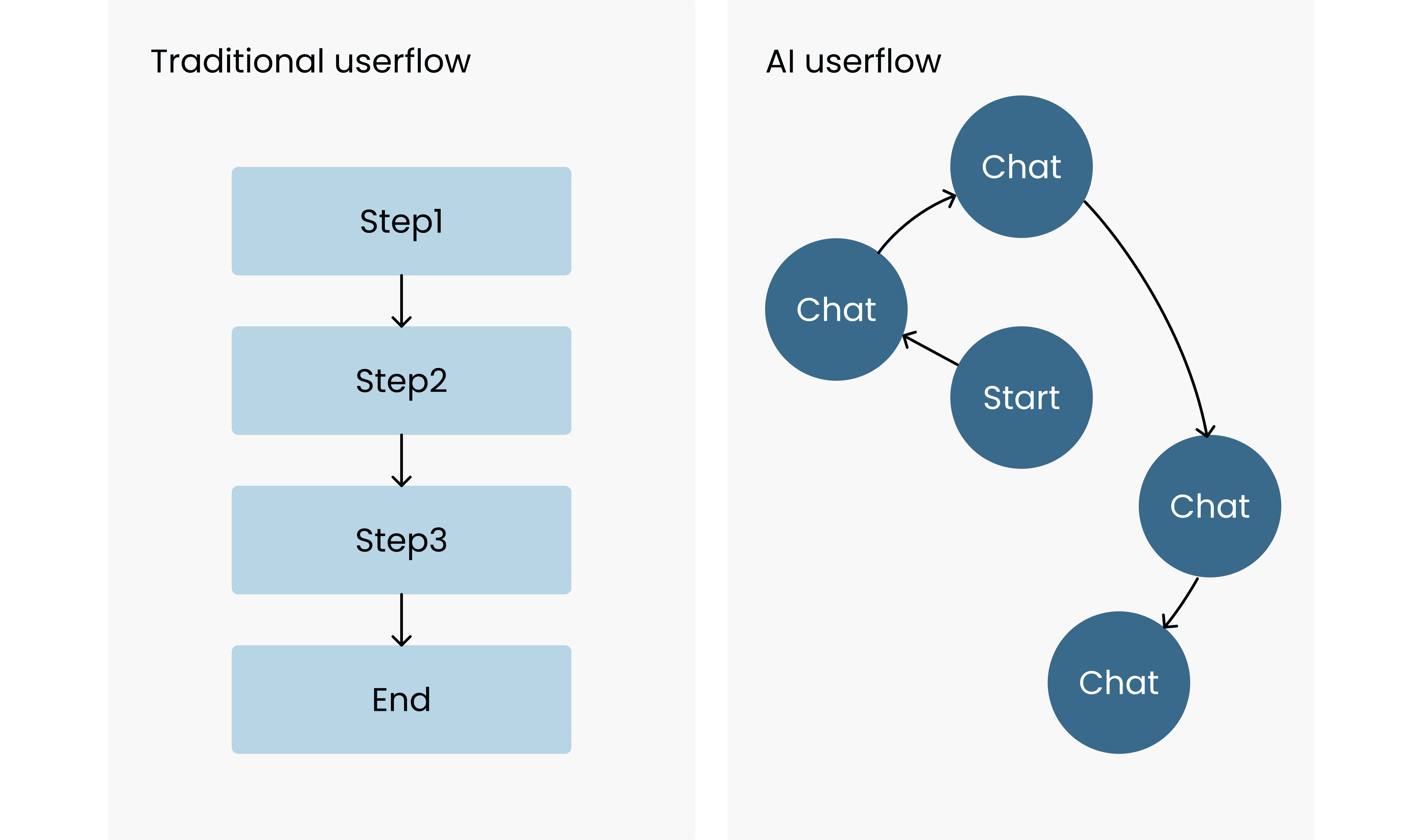
While AI agents actively provide suggestions/recommendations, users complaint that the Human-AI interaction experience in Audience Builder felt like a "rabbit hole". Unlike linear and predictable traditional interfaces, AI chat flow feels infinite and then leads to loss of control.
Insights from user research
Endless conversation:
Users cannot anticipate how long the conversation last before they reach a solid answer.Terminology heavy conversation:
AI agents' answers include a lot of terms related to propensity data training model which was supposed to provide more transparency, while many marketers do not have a data background.
03 Solution
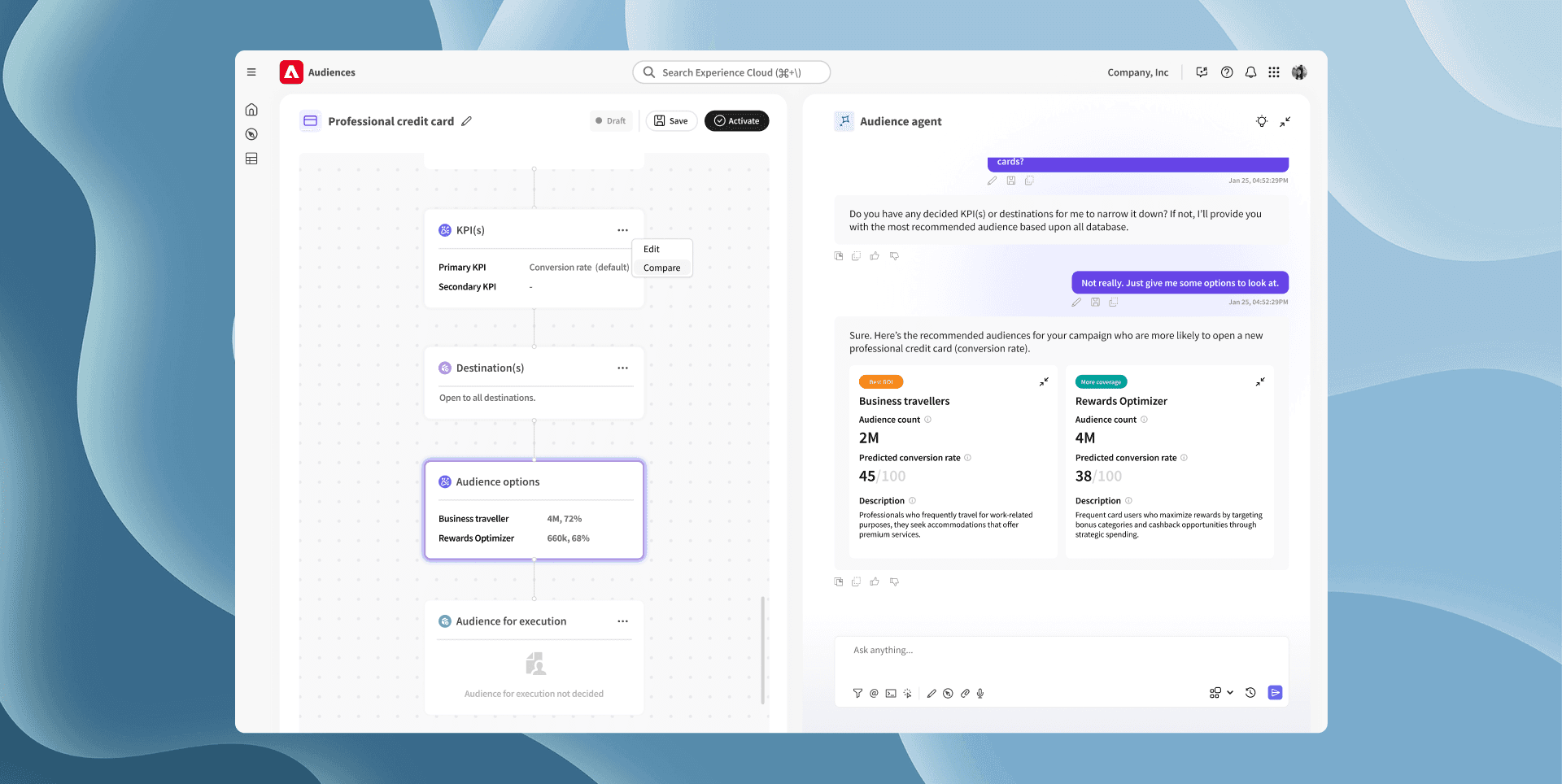
Building on the existing two-panel pattern, I provided scaffolding to give users better orientation and more control over how long they engage with each step.
Goal-orientated Conversation
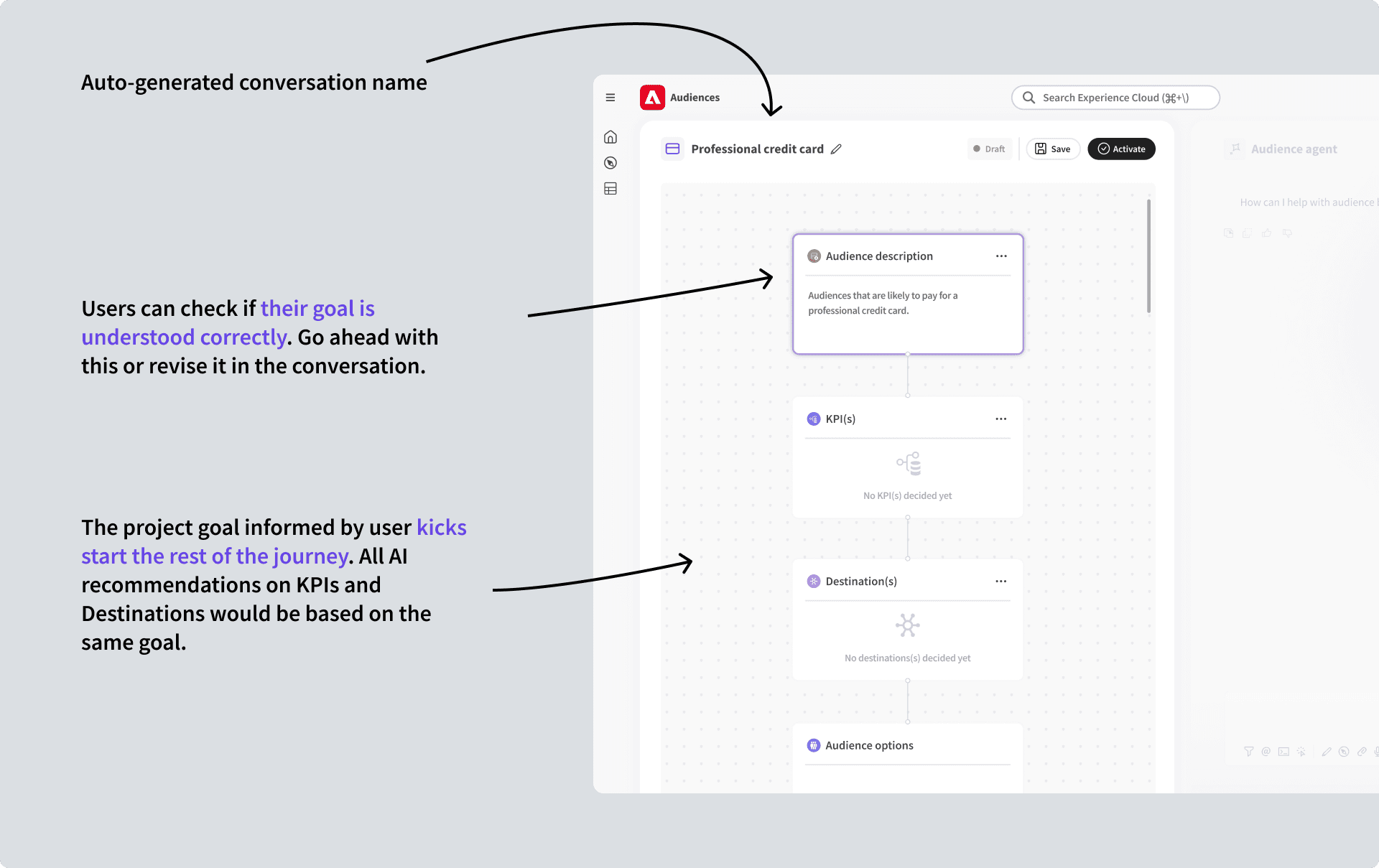
At the start of the conversation, AI agent asks user what the project is about and what audience they're going to build together. Once receiving user's input, AI agent translates the goal in canvas view to let users know their needs are well translated, and help users focus on this goal throughout the conversation.

To assure it's a goal-orientated journey, the AI agent would first fill this "audience description" card before it moves on to other cards. This also makes sure that the data propensity model at the back-end get the basic input to provide insights.
Canvas with Clear Steps

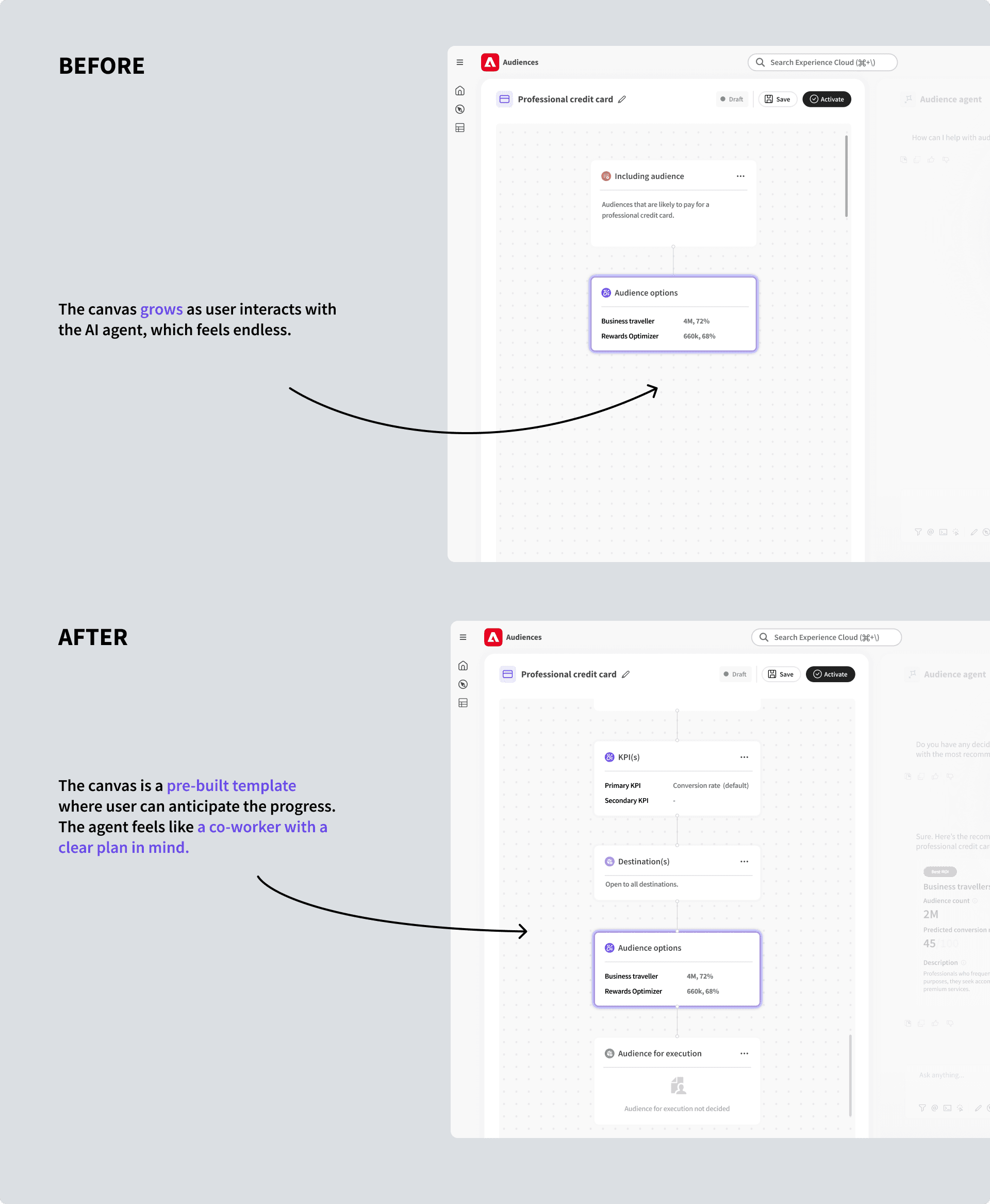
Before, the canvas goes with the conversation in real-time. Every time the user or the agent brings up one new task, there appears a new item card in the canvas, like a growing tree. This adds to the feeling of uncertainty as users don't know when it will end.
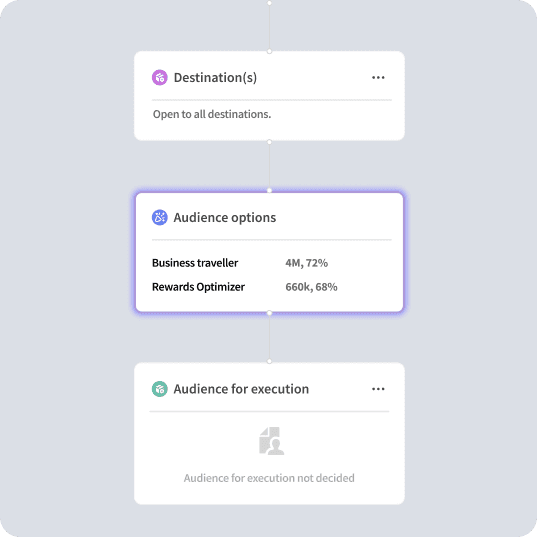
I converted the canvas to a pre-built template with clear steps to follow, based on the input the AI model needs to recommend an audience. Users are very clear what they are required to do and where the end point is in this work flow.
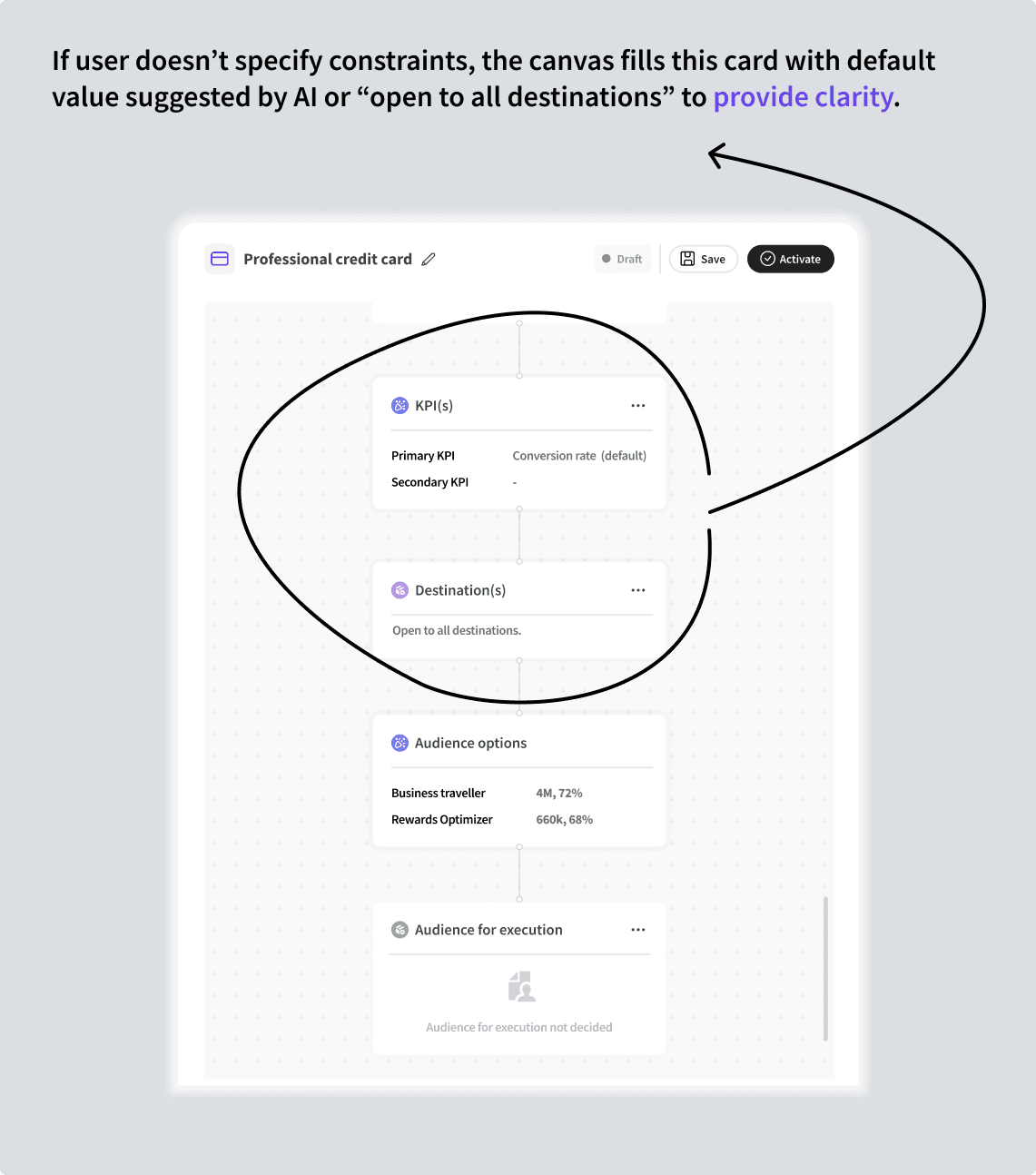
In this template, users first describe the project they're working on, and the AI agent will transcribe their input to item cards on the canvas. Sometimes users don't have or forget to mention about what the KPI is or what destinations they want, AI agent will take the initiative to ask for more clarify, which helps to build trust.
Recommendation Card
With sufficient input from users, AI agent is able to generate recommendations through data training model. Users will compare the options, make iterations and make decisions based on the model results.

Although the propensity score is the most objective and accurate metric, most marketers can be very confused about what the score indicates: likelihood to purchase, or model fit score?
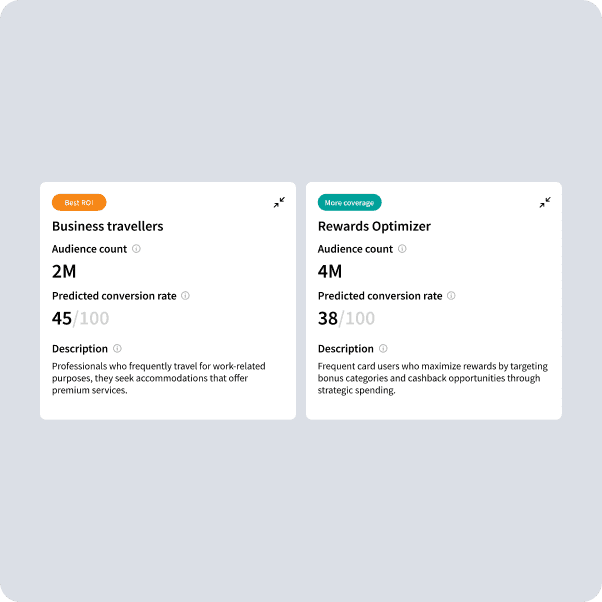
The new recommendation card reflects the design principle that in human-AI interaction, users should be given full autonomy in decision-making. Instead of presenting a "propensity score", I chose to present two most important metrics in plain words to facilitate decisions.
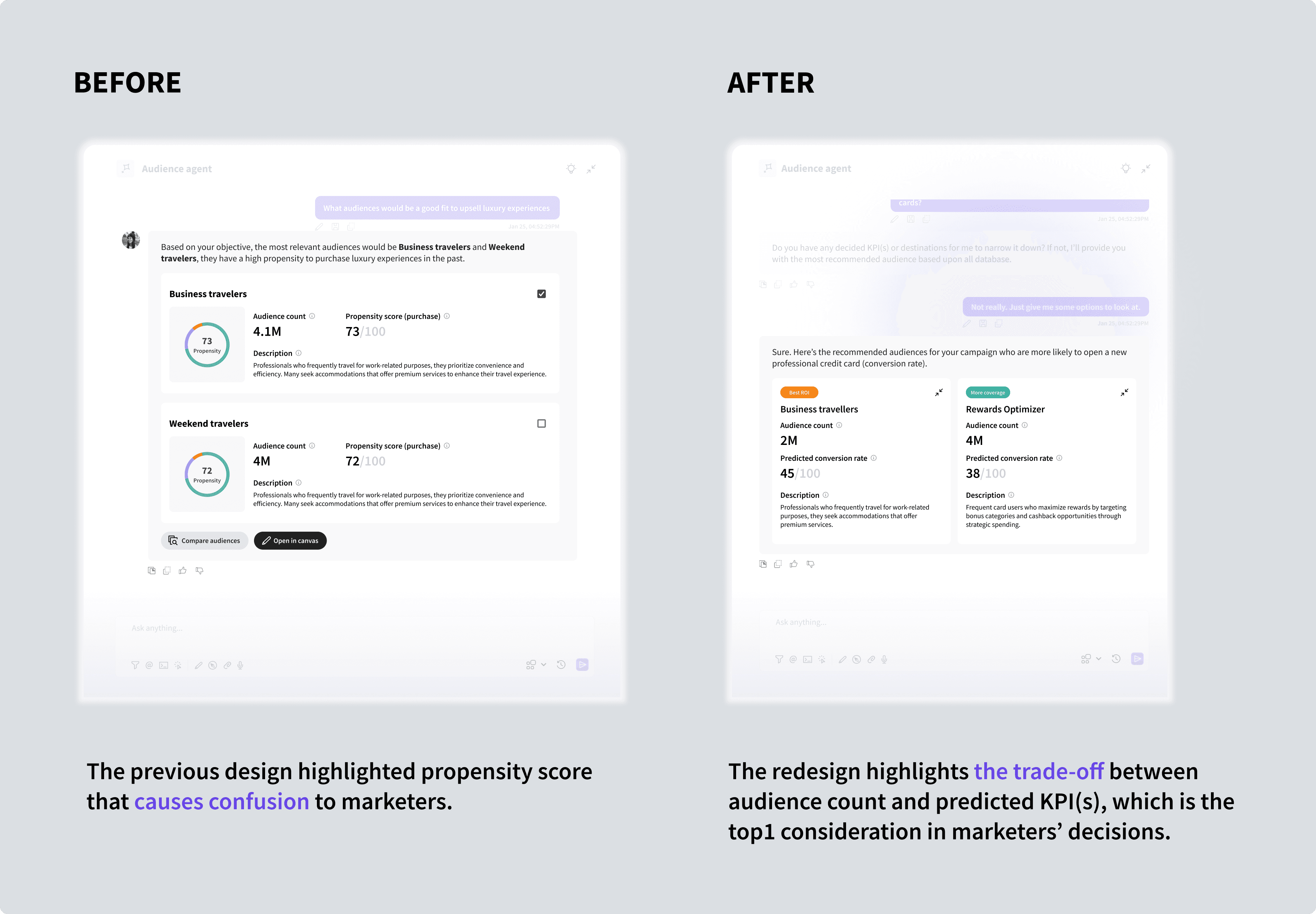
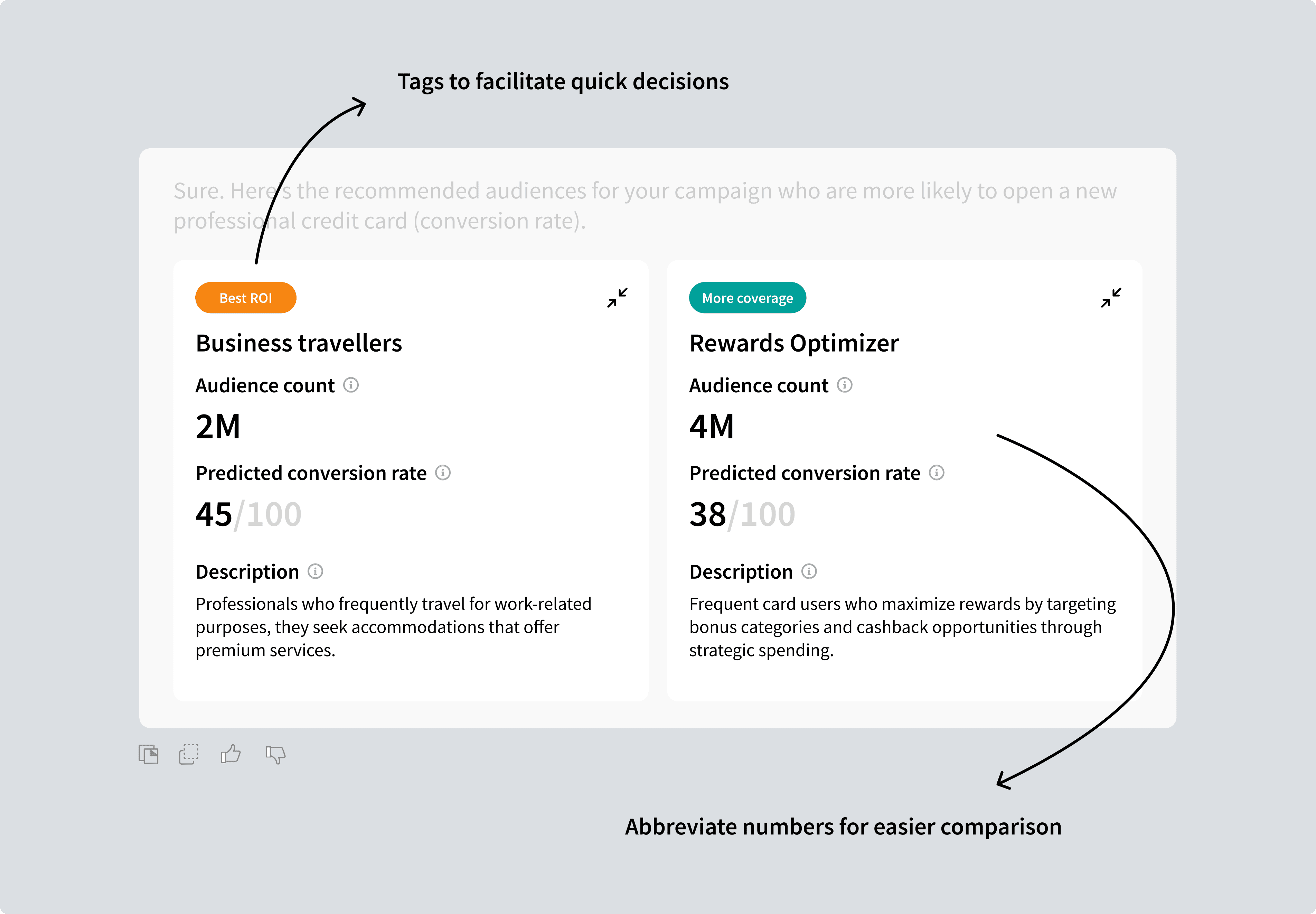
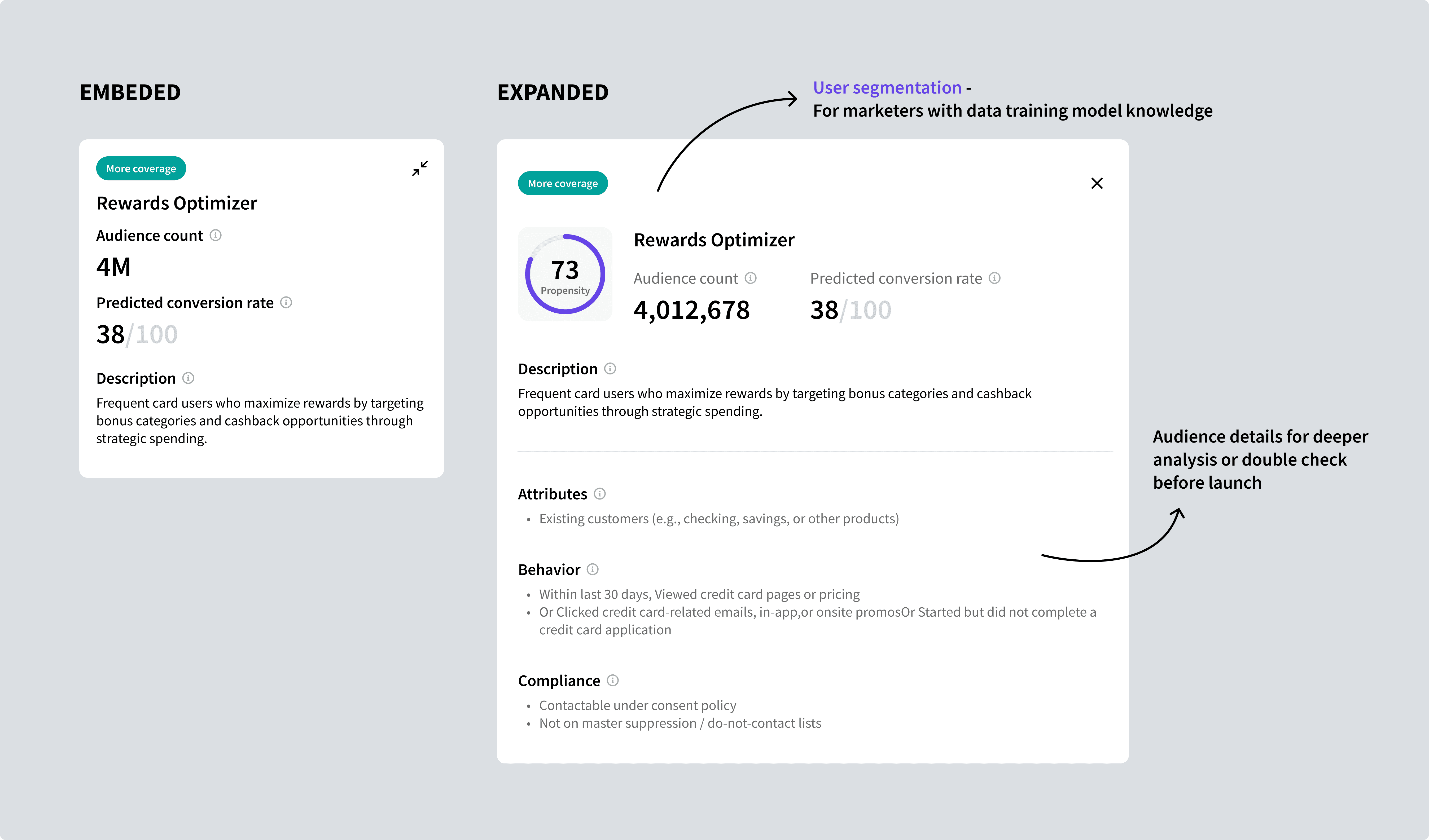
Through user research, I also learnt that this simplified recommendation card can be insufficient for (a) expert users with data background, (b) final check before launch. So I designed this card to be expandable for better user segmentation.
04 Process
Research
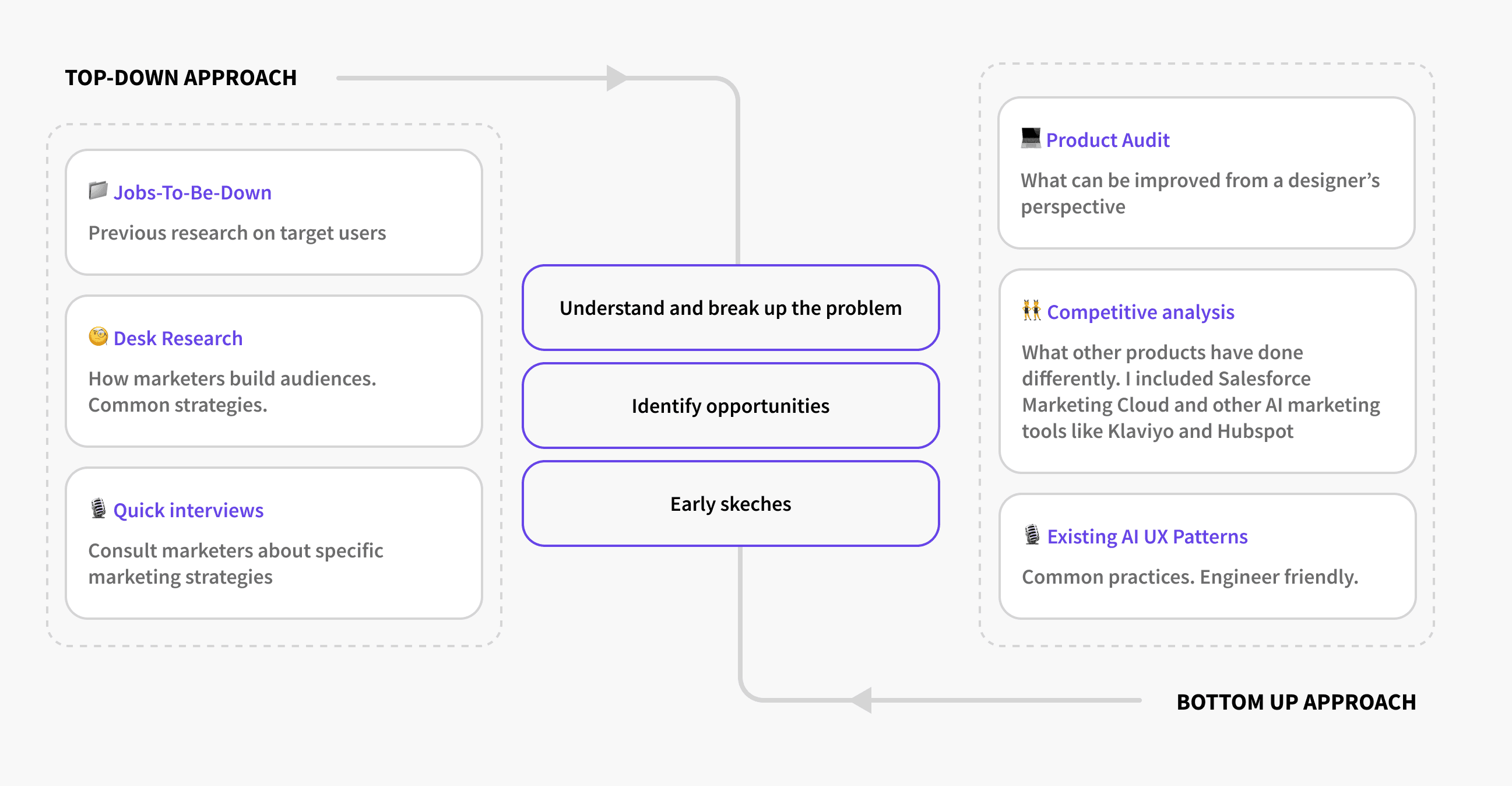
Given the constraints of an industry-sponsored project, direct access to enterprise users was limited. I addressed this challenge by exploring the problem from two complementary directions, as shown in the figure.
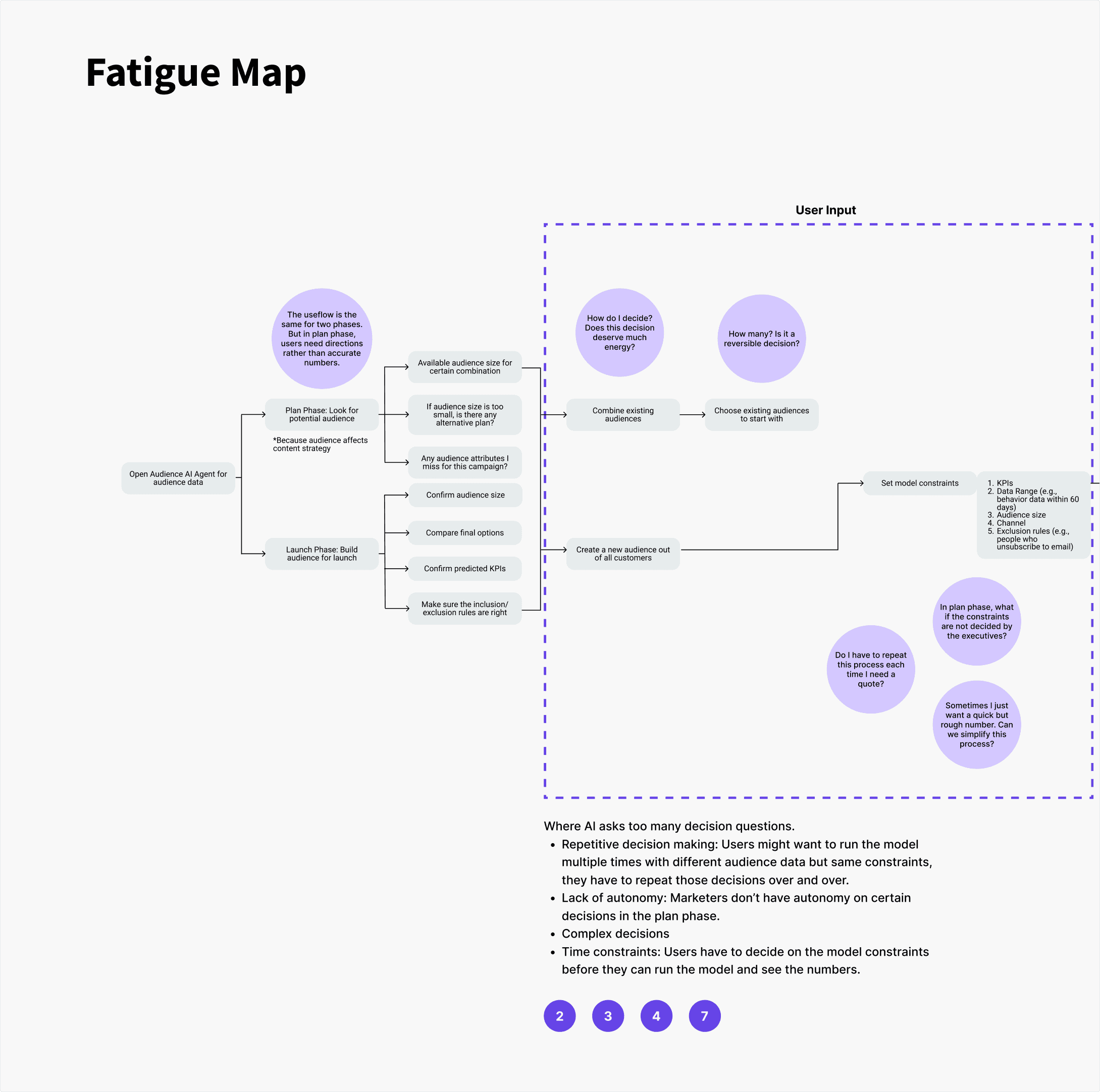
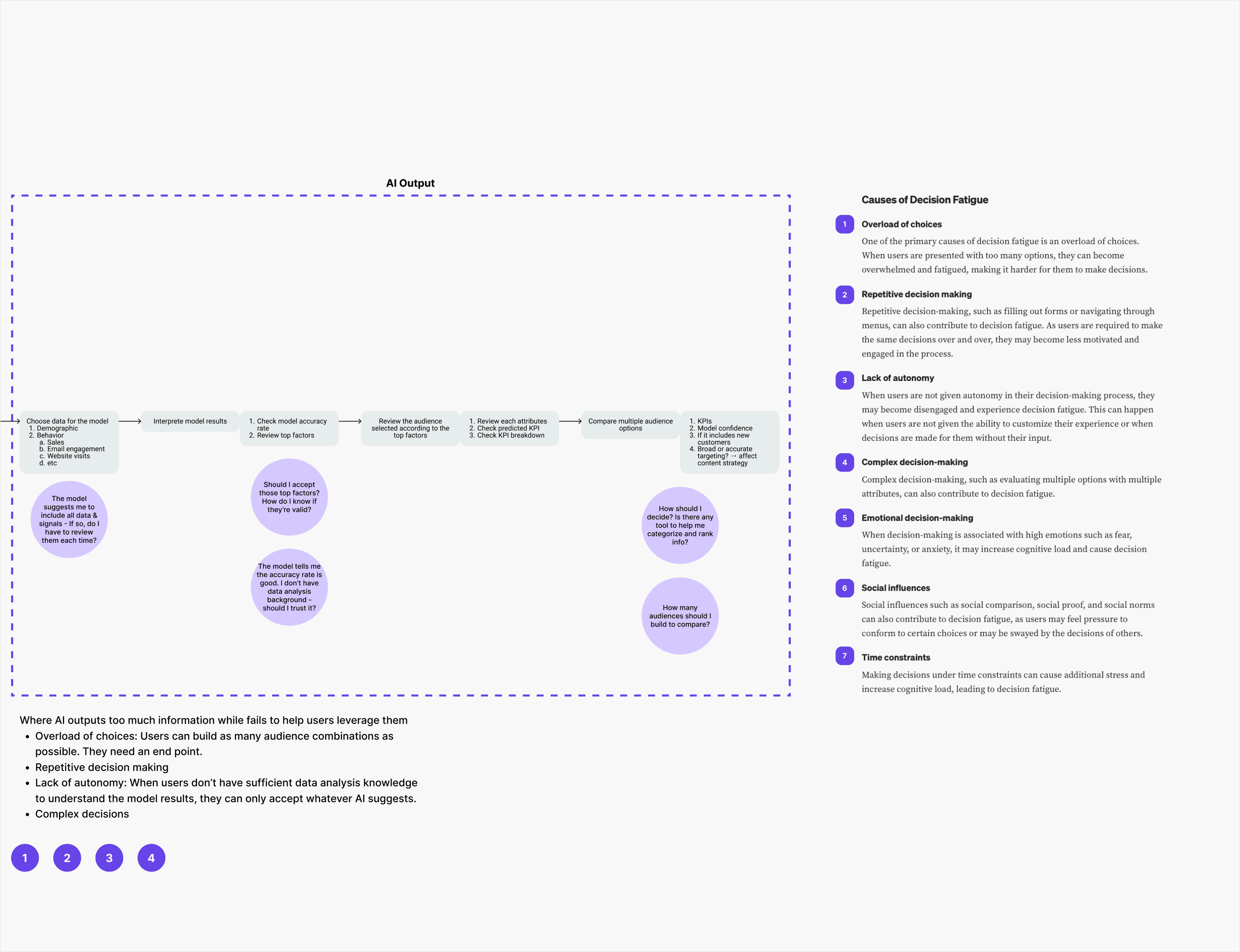
I created this "fatigue map" to highlight where users feel exhausted during the journey, which is a synthesis of research insights.
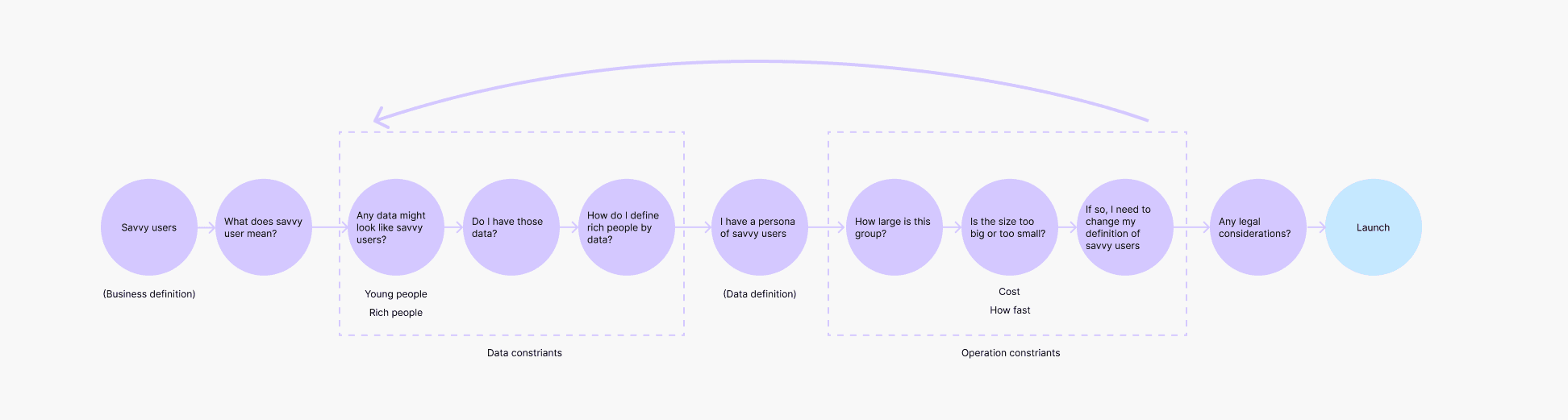
I also created a signature use case that reflects marketers’ mental models, which emphasizes the iterative nature of their workflow.
Design Iteration
Sketch - I sketched alongside my research process. Each round of learning helped me refine my understanding, validate or challenge assumptions, and generate new sketches. Those sketches then informed deeper questions, guiding the next phase of research.

Design principle - those are strategies derived from research and sketches, which support finer-grained design decisions in later phases.
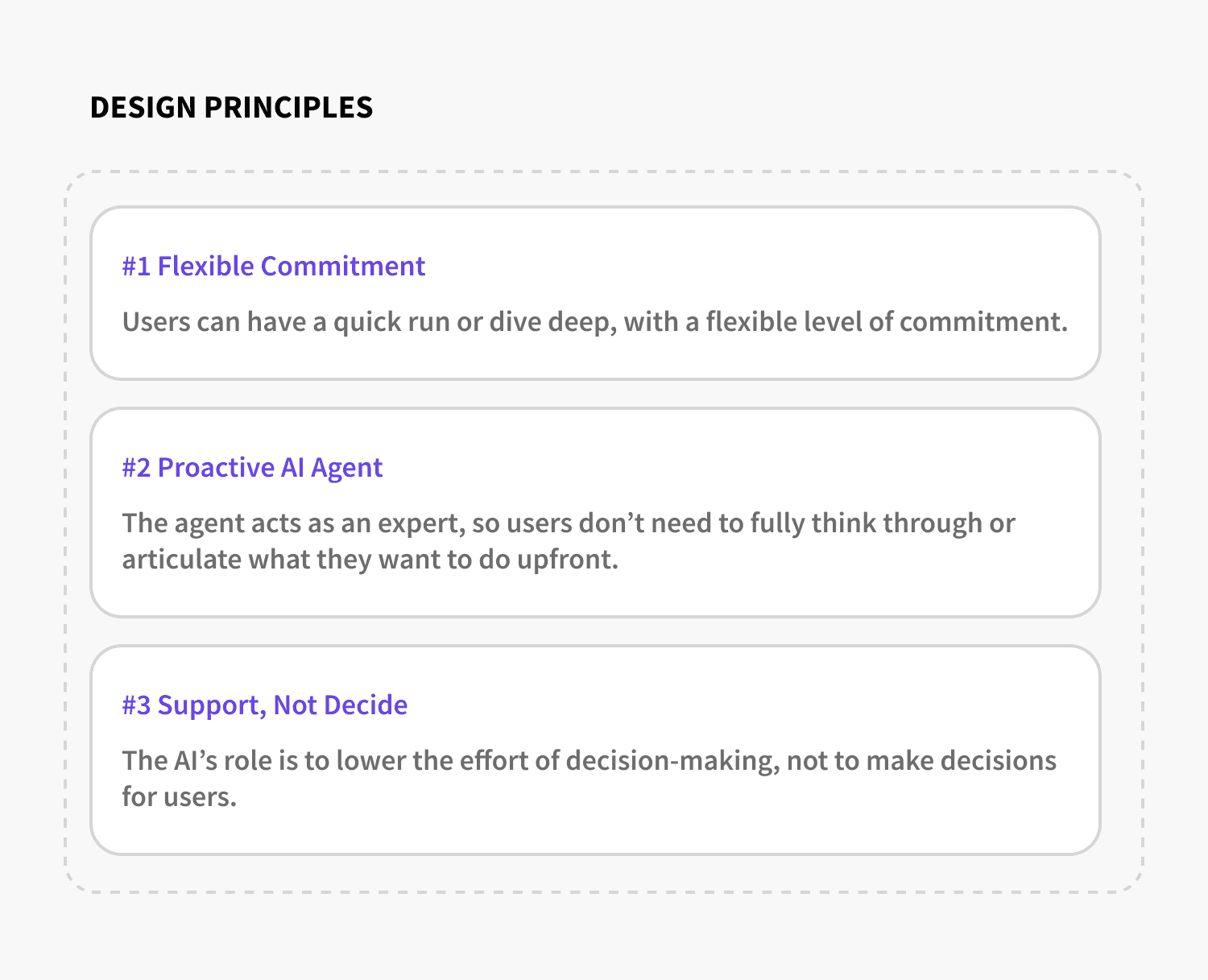
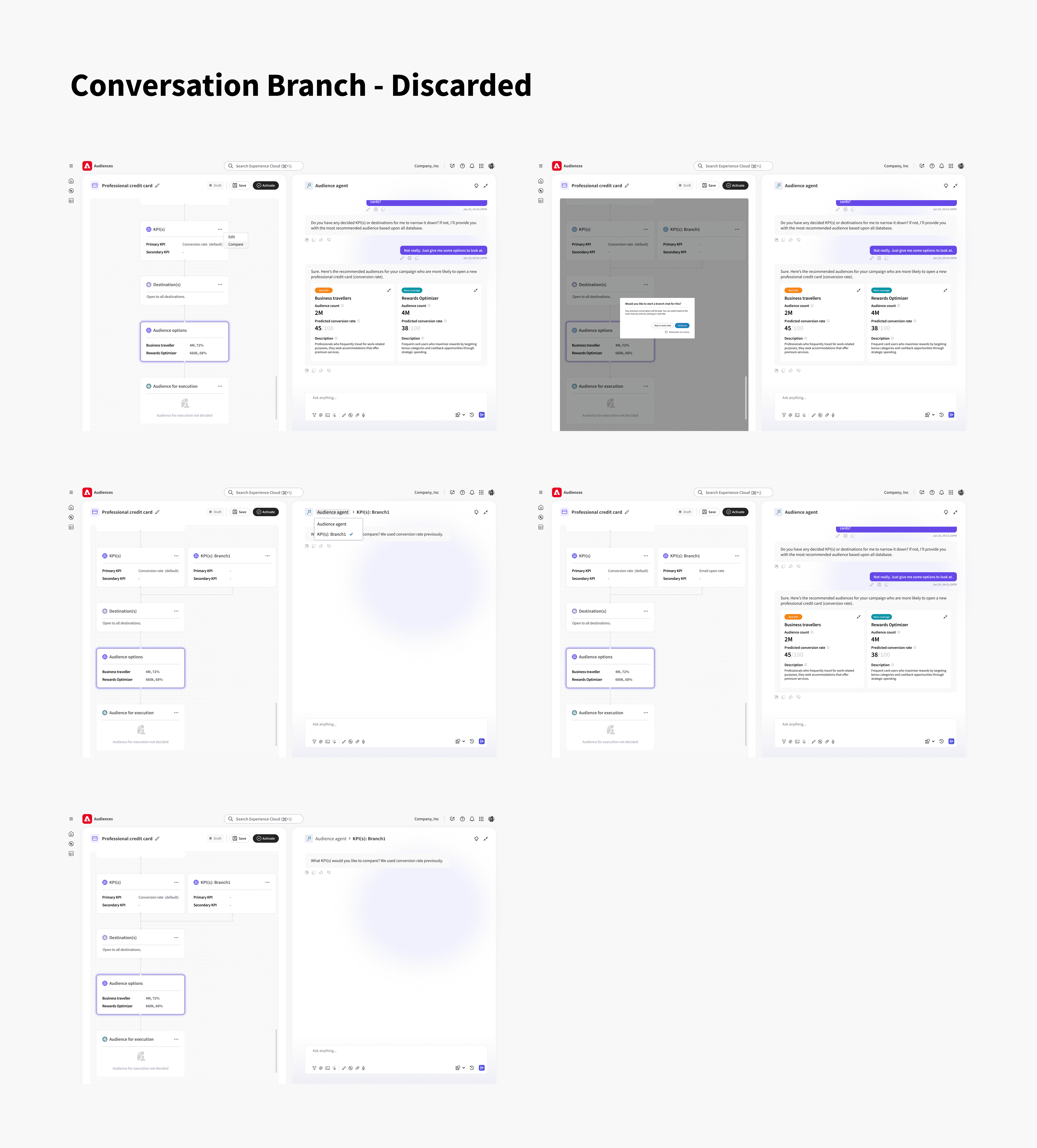
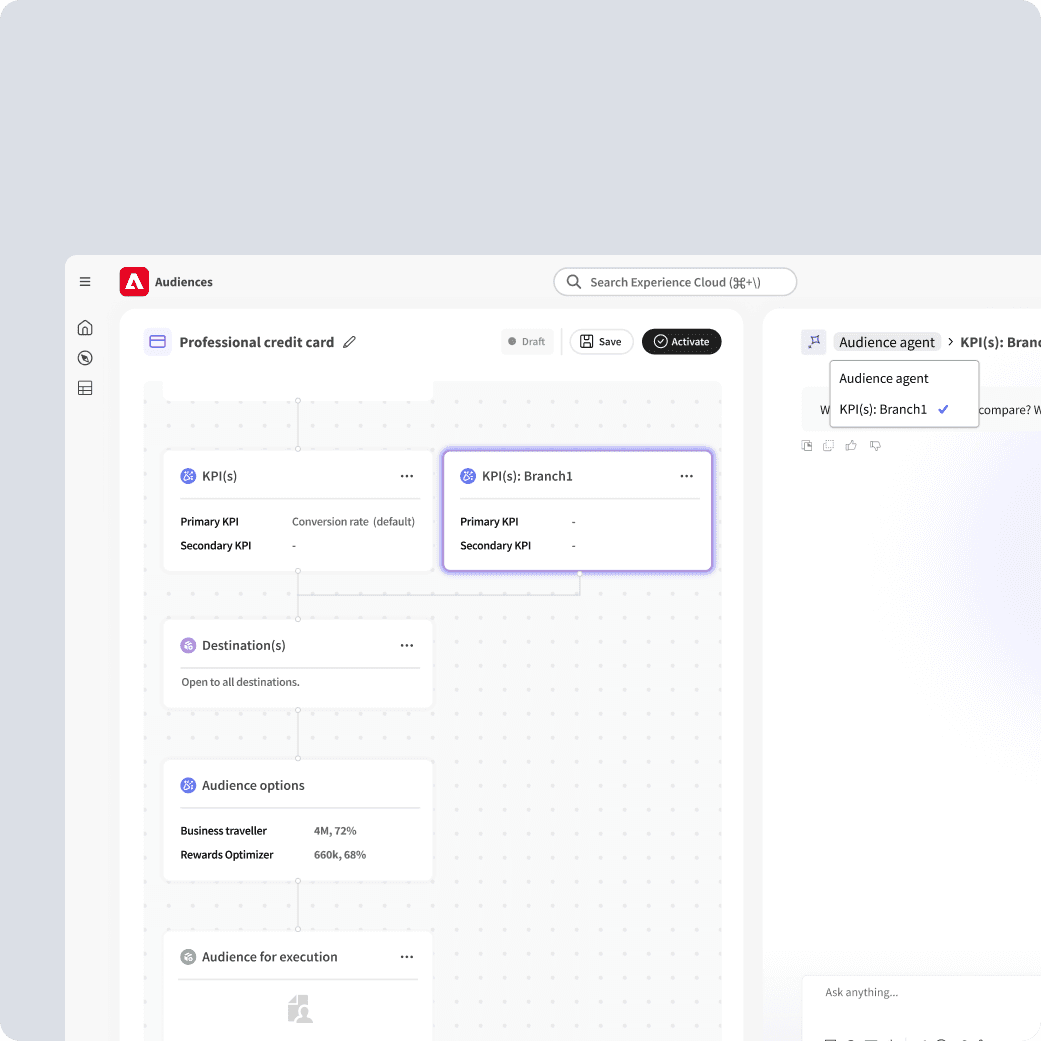
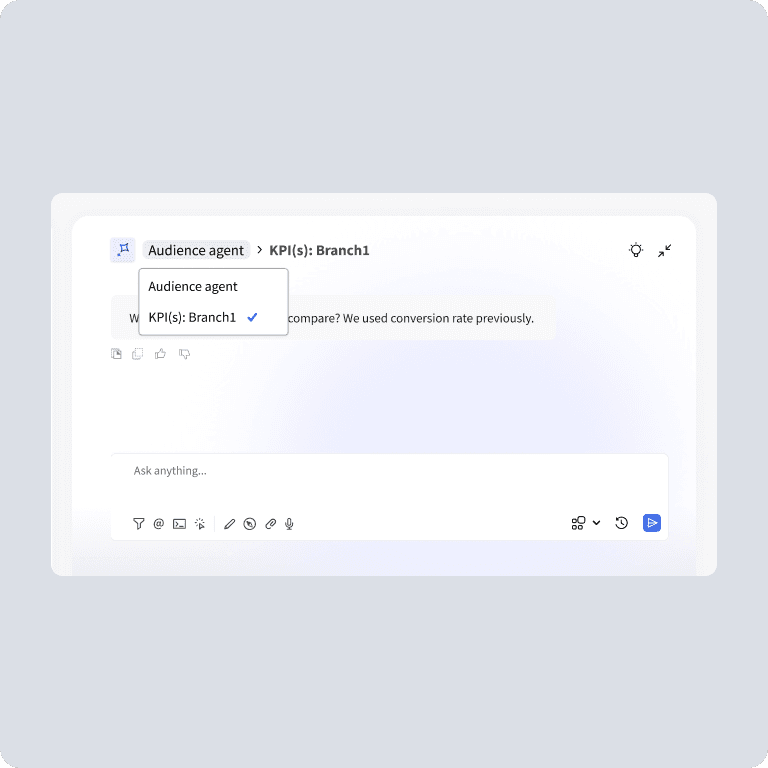
For example, I dropped this branch feature because it made users explicitly manage decision paths, which conflicted with the proactive principle.